Fairgame.

A suite of digital products for the London competitive socialising venue.

Website Design
Product Design
Product Architecture
User Experience

Overview

Fairgame needed the digital experience that blended into the in-venue experience and didn't gets in the way. The product had to work at a glance, even with distractions, noise, and short attention while users play the games and socialise.
A Progressive Web App (PWA) was used to handle onboarding, group setup, score tracking, and leaderboards. Players were also given physical RFID hardware so activity in-venue could be tied back to an account and reflected instantly across personal and group views.

Concept

The core idea was simple. Let people play games, see their live score, and understand how they are doing against friends, colleagues, and the wider venue.
The complexity came from the realities of how people visit Fairgame. Players rarely arrive alone. Most arrive in groups, and those groups often split into smaller teams. The product needed to support that structure without turning the experience into something that feels like managing a spreadsheet mid game.

Leaderboard Complexity

The leaderboard requirement was not a single screen. It was a system that needed to support a lot complex alternative views, depending on what the user wanted to view in that moment.
Not only did a player need to be able to see how they were doing against other players in their booking, they also needed to be able to switch into a team view within that same booking as well as viewing their position against everyone playing in the venue. This not only needed to exist for the overall score but also on a game by game basis, with each individual game leaderboard also being available to players.
The goal was to ensure the user knew which leaderboard they were looking at and be able to navigate around it easily when needed. Not every option needed to be surfaced upfront. Some settings were intentionally hidden behind filters, so the default view stayed clean and deeper controls only appeared when someone actively needed them. This kept the interface simple while still supporting the full range of leaderboard views.
Touch screen leaderboards in-venue needed to be slightly different. These needed to be glanceable and frictionless, so were simplified to focus on the most relevant comparison in that context, players against other players in their booking. That meant less navigation, less decision making, and more immediate clarity, allowing people to quickly check scores between games, and not blocking other groups from checking their scores using the same leaderboards.

Simplifying onboarding

The customer onboarding needed to work seamlessly however the user signed up.  
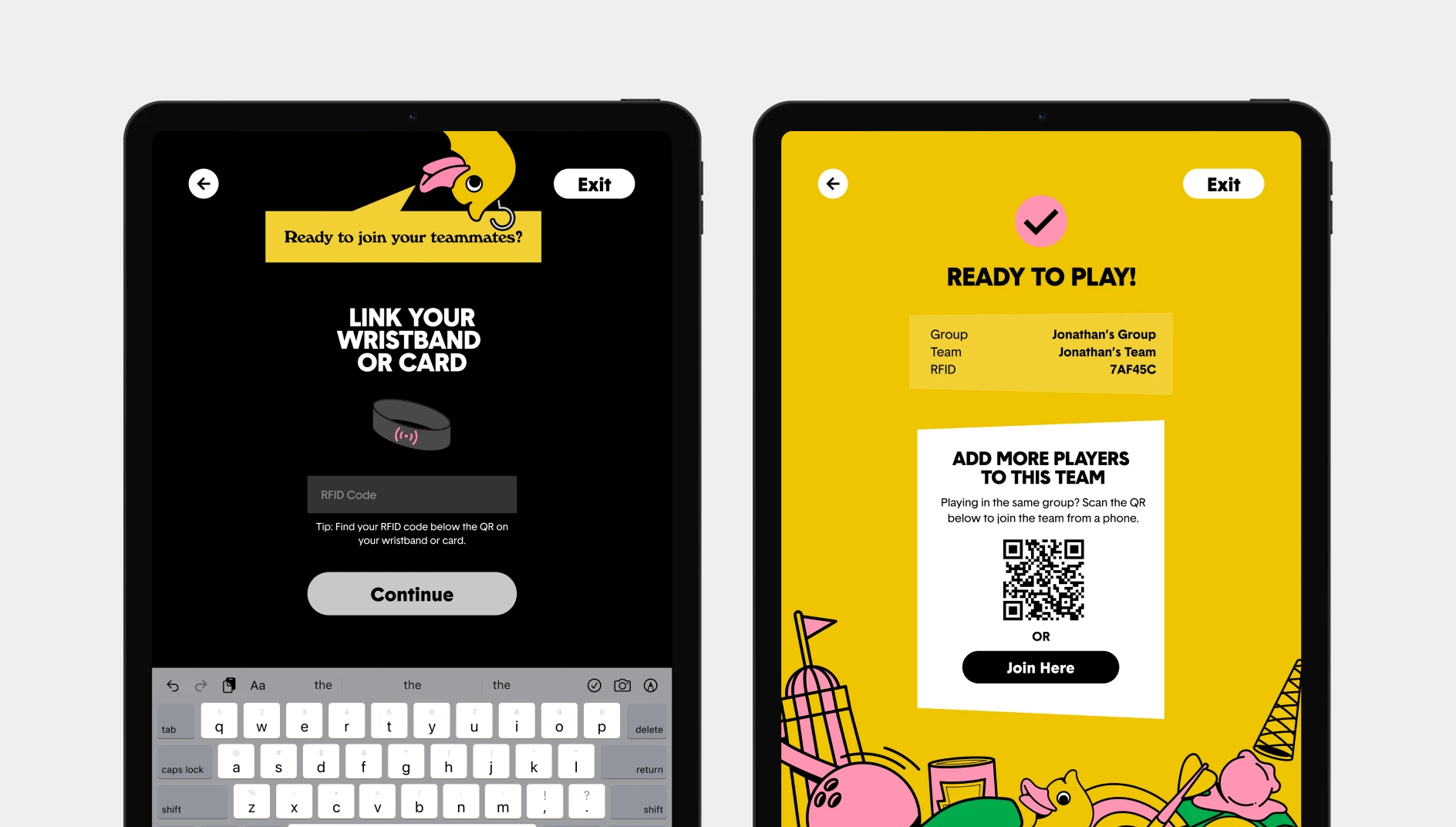
The lead booker had made the booking and paid for a set number of players. Their experience needed the setup to feel quick and effortless, with as little thinking as possible. That journey started from a link provided in the confirmation email. Once the booking ID was confirmed, the journey naturally moved into group setup and then into sharing, so inviting others felt like the next obvious step rather than a separate task.
All other users were invited through the lead bookers link or registered when they arrived at the venue. Their job was simply joining without friction. The link/booking reference needed to land them in the right place, with enough context to feel confident they understand who the booking is with, what they are joining, when it is happening, and what happens next. Account creation had to stay lightweight, but still connect back to the booking in the background so the system stayed consistent.
On arrival players were given their RFID band, to pair to the correct account. This was done using a QR code which users could scan in-app to link to their account, or in the event this didn't work they could add the code manually.

Testing and refinement

Most refinement happened before launch, using test participants rather than live venue traffic. That meant decisions had to be made based on whether users could complete tasks without explanation.
For leaderboards, the aim was that users could open the screen and instantly know what they were looking at, find their score quickly, and understand what that score meant in their booking, team, or the wider venue.
For onboarding, the aim was that lead bookers could set up the booking quickly, and participants could join with immediate clarity. Any hesitation was treated as a bad user journey. Copy, hierarchy, and screen structure were adjusted until the flow felt obvious.

Outcome

The strongest indicator of success has been longevity. The same UX and system has continued to support the experience over two years on. Fairgame has also expanded beyond the original venue, with multiple sites now in the pipeline, showing just how much of a success the venue and technology behind it has been.
The core problems were complexity and clarity. Both were solved by keeping the surface experience simple, and moving the heavy structure into the system rather than into the user’s decision making.